Errors and Troubleshooting
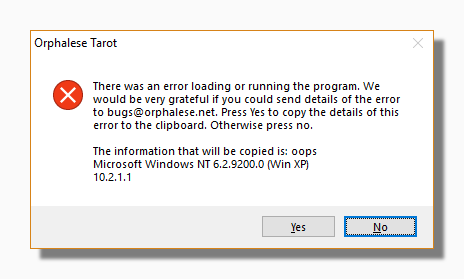
In general there are two types of error message that you might see. In both cases you can copy some information about the error and email it to us. This information might help us fix the problem. The first of these is a handled error message and looks the image below. You can copy information about the error to your clipboard by clicking Yes.
The other kind is an unhandled exception in .NET. In this case you can copy the information about the error contained in the text message:
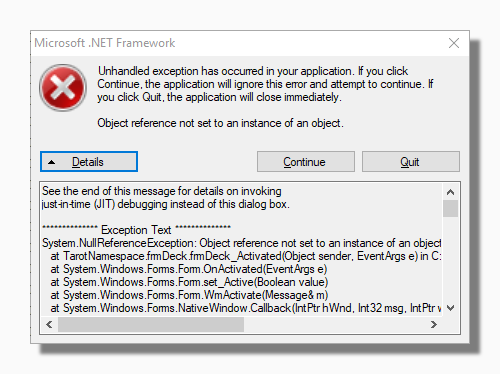
In either case it would very helpful if you could also tell us what version of the program you are using, and what you were doing that seemed to cause the error.
Tip: Pressing Continue might let you carry on as though nothing had happened, but we would still really appreciate you sending us the relevant information.
Tip: Please send any error messages to bugs@orphalese.net. You can also use the same email address if you find any error in this Help file.
No Deck Selected
Sometimes you may come across a situation where the menu is truncated and the program looks something like this:
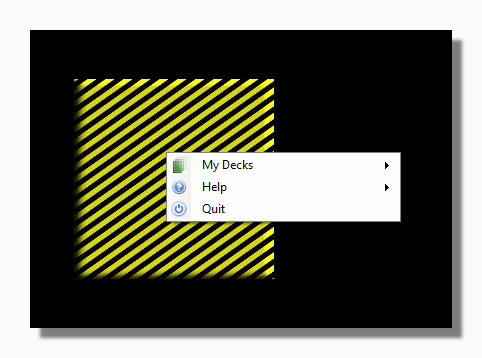
This situation can come about after you have been editing or rearranging your deck collection. The program either cannot find any decks, or does not know which deck to display.
In this special mode the Main Menu is truncated, only the My Decks list is displayed to help you to select a deck and go back to normal functioning. Once you choose a deck to use the rest of the menu will be displayed.
This also happens when the program is being used for the first time after it closed because of an error. This allows the program to restart if the error was related to a particular deck which would otherwise cause the program to repeatedly crash on start-up.