Program Tab of Options Form
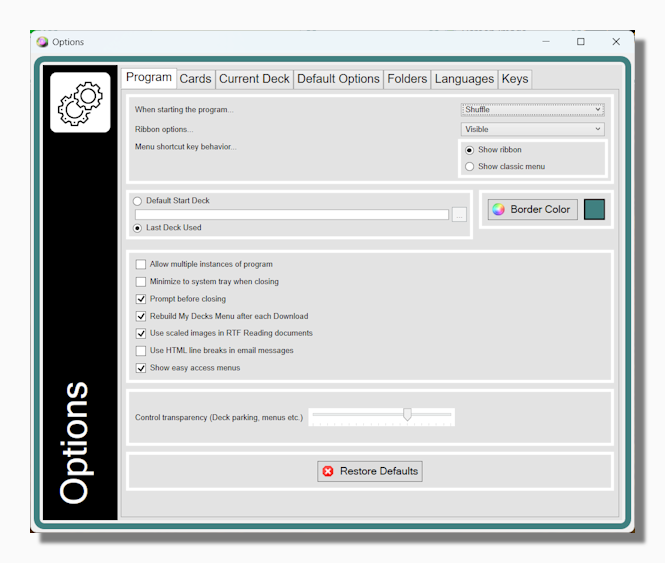
Start up preferences:
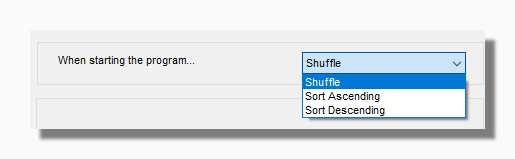
By default the deck is shuffled before it is first shown. You can change this to an ascending or descending sort.
Default start deck: You can choose between starting with the last deck you used, or nominating a specific deck to always show at start-up. If the program cannot find this deck, or cannot find the last deck you used, it will show the Untraditional Tarot unless that has been moved or deleted too, in which case it will show the first deck it can find alphabetically.
Ribbon Options These are the same options to Show, Hide or Autohide the Ribbon
Menu shortcut key behaviour These options determine what happens when you press the Control+M or Windows popup-up menu keys. These can be configured to either show/hide the Ribbon or the classic menu.
Other Program Options
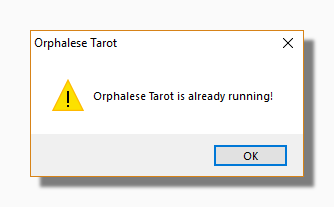
Allow multiple instances of program This allows you to run two or more instances of the program at the same time on the same computer. If this option is not selected and you try to run a second instance of the program you will see the following message:
Minimize to system tray when closing When this option is activated, on closing the program (either by closing the background window or by selecting Quit off the main menu) the program is hidden and a small icon appears in the right hand part of your Windows taskbar near the clock. The program can be restored by clicking on this icon. You may have to click on the "Show Hidden Icons" on your Windows taskbar in order to see it:

Rebuild My Decks menu after each download Checking this option automatically refreshes your My Decks menu after you download a new deck in the Deck Exchange so you can start using it straight away. Rebuilding the menu can take a few seconds if you have a very large number of decks.
Use HTML line breaks in email messages This option relates to sending a Reading by email in the Reading Wizard. The program creates an email using your default email client (Microsoft Outlook etc.). Some email programs uses HTML line breaks and some use text characters. Try changing this option if the resulting email looks wrong.
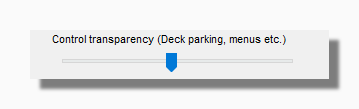
Show easy access menus Unchecking this hides the clickable areas to launch the Main Menu on the Background and Deck as described here. The Control Transparency slider shown below makes the same areas more or less visible while still allowing them to be clickable.
The Restore Defaults button makes the program forget your previous preferences on this Options form and also restores any "Do not show this again" type messages that appear when you first start using it. It is quite safe to press this button if you want to go back to some previous option that you have forgotten how to set. It does not effect your registration information or make you have to unlock the program again.