Shuffle
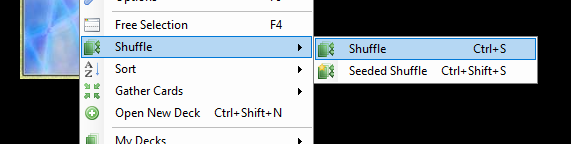
You can shuffle the deck by choosing Shuffle off the main menu or by using the keyboard shortcut Control+S.
The normal shuffle takes only a few seconds, but you can also set the program to shuffle continuously until you tell it to stop by clicking the deck. The program offers you this choice by showing the following form the first time you shuffle:
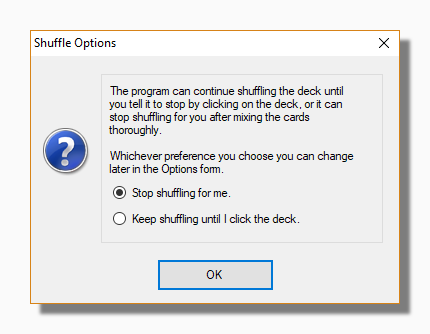
You can change your preference at any time on the Cards tab of the Options form by checking or unchecking Use timed shuffle.
Tip: You can deal a card while shuffling by using the Space Bar keyboard shortcut.
Seeded Shuffle
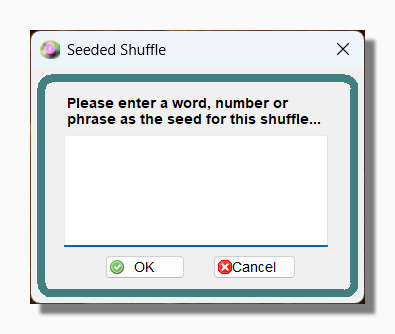
If you select Shuffle from the main menu you will also see an option called Seeded Shuffle. This allows you to enter a word or phrase as the "seed" for the shuffle. The "seed" only contributes to, and does not completely determine, the result of the shuffle. This means you can use the same seed on different occasions and it will produce different results. The Seeded Shuffle form can also be launched by the combination Control+Shift+S.
Shuffling and Reversals
Note that cards are reversed when they are shuffled, according to the percentage of reversals that you have indicated. This means that if a card is already reversed from a previous shuffle, and you have set a percentage of reversals of 10%, then there is about a 90% probability that the card will still be reversed after shuffling. This is because it will remain reversed from one shuffle to the next, unless by chance it is reversed again. In that case it will be returned to its upright position. If you want to ensure that all the cards are upright, you should do an ascending or descending sort.
Other Shuffle Options
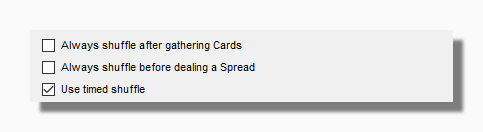
The options above can be found on the Cards tab of the Options form. You can set an option to always shuffle the deck after gathering the cards, or to always shuffle the deck before dealing a spread.
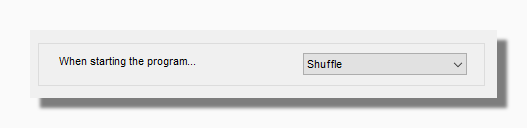
This option can be found on the Program tab of the Options form. You can opt to always start the program with a newly shuffled deck (other options are ascending and descending sort). Please note that if this option is selected the program does not show the display of rapidly changing card faces normally associated with shuffling because the pack is shuffled before being displayed.
You can also shuffle the deck when the deck is in Free Selection Mode or even when it is parked.
The Limitations of Shuffling
The program uses Microsoft's RNGCryptoServiceProvider class to generate the random numbers used in shuffling. This enables it to generate high quality random numbers that are not just the result of applying a computational algorithm, but also include environmental factors such as CPU temperature. The RNGCryptoServiceProvider class was developed for use in cryptography where it is used to generate entirely unpredictable sequences of numbers. Nevertheless, there are limitations associated with the process of shuffling.
The limitation comes about because the program always starts from having the deck in order - either an ascending or a descending sort. Its shuffle methodology is to take two cards at random and interchange their positions, and then repeat this another nine hundred and ninety-nine times in a standard timed shuffle, or otherwise until the user clicks the deck. While this does ensure a thoroughly shuffled deck (comparable to or better than a good shuffling by a human dealer) it does not mean that the deck is truly random and equally likely to contain its cards in any order. If you want to guarantee that then you should use the New Random Sort option from the main menu.